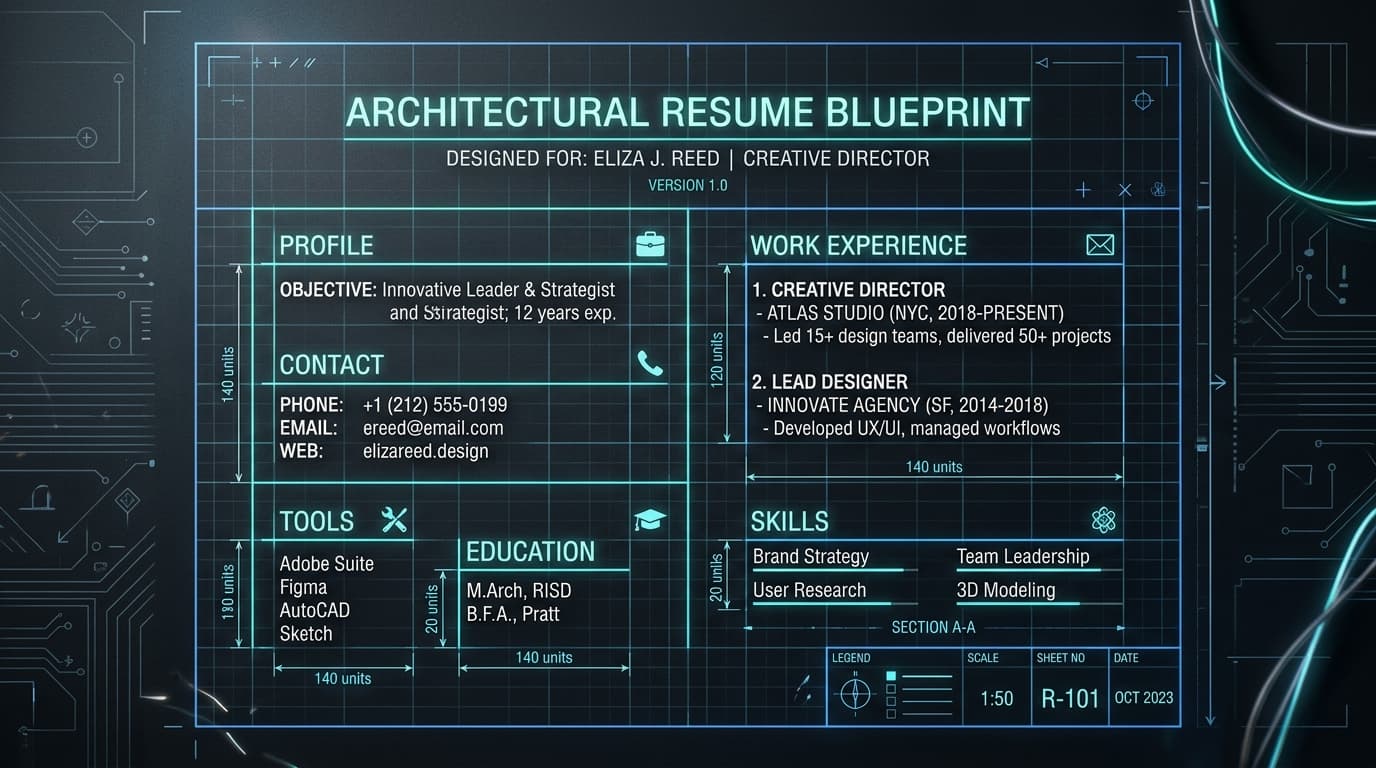
Your resume's visual layout and mechanical architecture dictate whether an Applicant Tracking System (ATS) parses your career history cleanly or converts it into unreadable character artifacts.
A brilliant career history, deep technical stack, and extraordinary quantified metrics wrapped in an incompatible layout produces an unparseable file that never reaches human eyes. In corporate talent acquisition, bad formatting is the silent killer of great candidates.
Modern enterprise ATS platforms (Workday, Greenhouse, Taleo, Lever, iCIMS) process millions of documents weekly. When an ATS ingests an applicant file, it runs optical character recognition (OCR) and text-tokenization engines that deconstruct the document from top to bottom. If your document uses multi-column grids, nested tables, graphical skill progress meters, or native Word header containers, the parser's linear reading order scrambles your text into gibberish.
This comprehensive guide details the 10 Inviolable Formatting Commandments, analyzes the three traditional resume architectures, breaks down the Vector PDF vs Word debate, and provides the exact typography, margin, and spacing specifications needed to pass both automated parsers and human executive review.
The 10 Inviolable Formatting Commandments for 2026
Before typing a single word of your career history, configure your document editor to these baseline parameters:
| Number | Rule / Pitfall | Strategic Correction & Standard |
|---|---|---|
| 1 | SINGLE | COLUMN STREAM Zero split-pane rails or multi-column grids |
| 2 | MARGIN GEOMETRY Exactly 0.5" to 0.75" on all 4 borders | Follow strict deterministic ATS guidelines. |
| 3 | SYSTEM TYPOGRAPHY Standard Unicode system fonts (10 | 11pt) |
| 4 | BULLET CHARACTERS Standard solid round bullets (•) only | Follow strict deterministic ATS guidelines. |
| 5 | ZERO TEXT BOXES Never place text inside floating Word boxes | Follow strict deterministic ATS guidelines. |
| 6 | NO NATIVE HEADERS Never put contact info in Word Header tool | Follow strict deterministic ATS guidelines. |
| 7 | DIVIDER RULES 0.5pt simple border lines (no graphic bars) | Follow strict deterministic ATS guidelines. |
| 8 | DATE STANDARDIZATION Month Year | Month Year (e.g. Jan 2024) |
| 9 | FILE FORMAT Selectable Vector PDF or clean .docx | Follow strict deterministic ATS guidelines. |
| 10 | CLEAN FILE NAMING FirstName_LastName_Target_Role_Resume.pdf | Follow strict deterministic ATS guidelines. |
1. The Single-Column Rule (The Death of Multi-Column Templates)
Never use a two-column or split-pane resume template. When an ATS parser ingests a multi-column document, its text-extraction engine reads across the page horizontally from left to right:
| Human Recruiter View (Multi-Column Layout) | Machine Parser View (Decompiled Text Stream) |
|---|---|
| Left Column (Skills): Python, Go, Docker, AWS<br>Right Column (Experience): Senior Software Engineer at NexaCorp (2022–2025) | "Skills: Python, Go NexaCorp Senior Software Engineer Docker 2022 2025 AWS"<br><br>(Result: Column contents interleave horizontally, merging company names with skills and destroying parsed work tenure). |
A single-column vertical flow guarantees 100% deterministic parsing across every legacy and modern applicant tracking platform.
2. Symmetrical Margins (0.5" to 0.75")
Set your top, bottom, left, and right margins to 0.5 inches (36pt) or 0.75 inches. Never use asymmetrical margins (e.g., 0.3" on the left and 1.0" on the right), and never reduce margins below 0.4 inches, which risks clipping text when documents are printed for interview panels.
3. Typography & Font Hierarchy
Use universally supported system fonts that decompile cleanly without font-substitution corruption:
- Modern Clean Sans-Serif: Inter, Calibri, Arial, Roboto, Helvetica.
- Refined Executive Serif: Georgia, Garamond, Times New Roman.
- Font Sizes:
- Candidate Full Name: 18pt to 22pt Bold
- Section Headers (H2): 12pt to 14pt Bold
- Sub-headings & Job Titles: 10.5pt to 11.5pt Bold / Semibold
- Body Text & Bullet Points: 10pt to 11pt Regular
- Warning: Never set body text smaller than 9.5pt; microscopic font causes severe eye strain during human review.
4. Standard Bullet Characters
Use only standard solid round Unicode bullets (•). Avoid fancy decorative glyphs, arrows (►), asterisks (*), square boxes, or Wingdings symbols. Many older ATS parsers convert non-standard bullet characters into corrupted question marks (?) or square symbols (□).
5. Never Use Floating Text Boxes
Placing your contact information or skills inside a floating Microsoft Word text box is fatal. Most ATS text-extraction algorithms skip floating layout containers entirely, resulting in a parsed profile with zero contact information or missing skills!
6. Keep Contact Details Out of Native Headers and Footers
Never double-click into Microsoft Word's native "Header" or "Footer" area to insert your name, phone, or email. Many enterprise parsers deliberately ignore header and footer zones to prevent repeating page numbers from corrupting body text. Place your contact information in the primary body canvas at the very top of page 1.
7. Section Divider Rules
Use simple 0.5pt or 1pt solid horizontal border rules to separate sections. Avoid thick graphical banner bars, shaded colored boxes, or SVG divider icons that break text flow.
8. Standardized Date Syntax
Format all employment dates consistently: Month Year – Month Year (e.g., Jan 2023 – Present or 03/2021 – 11/2023). Avoid ambiguous single-year formats (2021 – 2023) that make it impossible for parsers to calculate exact months of tenure. Right-align dates on the same line as your job title.
9. File Format: Vector PDF vs Word (.docx)
- Selectable Vector PDF (Recommended for 95% of applications): Preserves visual typography, bullet alignment, and page breaks across Mac, Windows, iOS, and Android.
- Microsoft Word (.docx): Fully readable by ATS, but visual margins and font rendering can shift depending on the reviewer's operating system.
- Scanned / Flat Image PDF (Instant Auto-Rejection): PDFs exported as flat raster images from graphic design software (Photoshop, Canva image export) contain zero machine-readable text tokens. The ATS records an empty document and auto-rejects it.
10. Professional File Naming Convention
Name your export file using clean, professional syntax: FirstName_LastName_Target_Role_Resume.pdf (e.g., Aaditya_Hriday_Senior_Backend_Engineer_Resume.pdf). Never submit files named Resume_Final_v2_edit.pdf.
Logical Section Ordering: The Ideal Information Hierarchy
Structure your document using this exact semantic hierarchy:
| Category & Scenario | Strategic Action & Implementation |
|---|---|
| [1. CANDIDATE HEADER] Full Name, Target Title, Phone, Email, Links | |
| [2. SUMMARY / HOOK] 3 Sentences: Identity + Top Metrics + Value | |
| [4. WORK HISTORY] Company, Location, Title, Dates, XYZ Bullets | |
| [5. APPLIED PROJECTS] 2–3 Capstones with Tech Stack & Live Links | |
| [6. EDUCATION] Degree, University, Grad Year, GPA/Coursework | |
| [7. CERTIFICATIONS] Proctored Industry Credentials (AWS, PMP) |
Note for Freshers and Students: Swap sections 3 and 4 with Education and Academic Projects to lead with academic credentials before full-time experience. Read our dedicated Resume Format for Freshers Guide.
The 3 Core Resume Formats: When to Use Which
1. REVERSE-CHRONOLOGICAL Gold standard for 95% of corporate roles
• 2. HYBRID / COMBINATION Senior professionals & career switchers • 3. FUNCTIONAL HIGH RISK: Scrambles ATS & triggers doubt
1. Reverse-Chronological Format (Recommended for 95% of Candidates)
Organizes work history backwards in time, leading with your current or most recent role. This is the universal benchmark format expected by corporate recruiters and ATS parsers because it immediately demonstrates career progression, promotion velocity, and recent accomplishments.
2. Hybrid / Combination Format
Opens with a prominent Professional Summary, Categorized Skills Matrix, and Core Achievements/Projects section, followed by a complete reverse-chronological employment history. Ideal for professionals with 8+ years of experience or career switchers who need to highlight transferable competencies before detailing past roles. Read our guide on Career Change Resumes.
3. Functional Format (Strictly Avoid)
Groups accomplishments under broad thematic headings (e.g., "Leadership," "Communication") while stripping company names and dates to a tiny footnote. Warning: Enterprise ATS parsers cannot calculate years of experience per technology without dates attached to companies, resulting in severe algorithmic score penalties. Recruiters also assume functional resumes hide career terminations or gaps.
Complete 1-Page ATS-Compliant Layout Wireframe
Here is an architectural wireframe demonstrating how to structure a complete 1-page document:
AADITYA HRIDAY
Pune, India | adi@resumecopy.com | +91 98765 43210 | github.com/aadityahriday | linkedin.com/in/aaditya-hriday

PROFESSIONAL SUMMARY
Senior Backend Engineer with 6+ years of experience architecting scalable distributed microservices in Go, Python, and AWS. Architected real-time event-driven transaction pipelines handling 8,500 requests/second with sub-80ms p99 latency, reducing cloud infrastructure spend by $34,000 annually. Expert in PostgreSQL query optimization, Redis caching, and automated CI/CD pipelines.

TECHNICAL SKILLS & TOOLS
• Programming Languages: Go, Python, TypeScript, Java (Spring Boot), SQL, Bash
• Cloud & DevOps: AWS (ECS, Lambda, S3, RDS), Docker, Kubernetes, Terraform, GitHub Actions
• Databases & Caching: PostgreSQL, Redis, MongoDB, Elasticsearch, Snowflake
• Tools & Methodologies: Git, Linux, Kafka, gRPC, Prometheus, Grafana, Agile/Scrum

PROFESSIONAL EXPERIENCE
Senior Backend Engineer | NexaCorp Solutions | Pune, India           Jan 2024 – Present
• Architected an event-driven transaction processing service in Go and Kafka, handling 8,500 requests/second with zero message loss and sub-80ms p99 latency.
• Refactored legacy PostgreSQL database queries and configured Redis caching, cutting cloud compute expenses by 28% ($24k/year).
• Authored 12 architectural RFCs in Notion and mentored 4 junior developers, lifting team sprint velocity by 30%.

Software Engineer | CloudScale Technologies | Bengaluru, India       Jun 2021 – Dec 2023
• Engineered customer authentication and billing microservices in Python and FastAPI, processing $1.8M in monthly merchant transactions.
• Containerized 6 backend legacy services into Docker and orchestrated automated multi-region deploys via AWS ECS and GitHub Actions.
• Resolved 34 critical concurrency bottlenecks, improving platform uptime SLA from 99.8% to 99.99%.

PRODUCTION PROJECTS
Distributed Task Queue Engine | Go, Redis, Docker, Prometheus
GitHub: github.com/aadityahriday/task-queue | Live Demo: queue-demo.dev
• Designed an in-memory distributed task queue in Go supporting priority execution and delayed jobs, benchmarking at 12,000 tasks/second.
• Implemented worker pool concurrency using Goroutines and sync channels with Redis persistence to guarantee zero task drop upon failure.

EDUCATION & CERTIFICATIONS
Bachelor of Technology in Computer Science | Pune University | 2017 – 2021 | 8.8 CGPA
AWS Certified Solutions Architect – Associate | Amazon Web Services (2025)
5 Fatal formatting traps that instantly trigger rejection
| Number | Rule / Pitfall | Strategic Correction & Standard |
|---|---|---|
| 1 | Hidden Text / White Font Keyword Stuffing (Triggers blacklist) | Follow strict deterministic ATS guidelines. |
| 2 | Graphical Skill Rating Progress Bars (Zero mathematical meaning) | Follow strict deterministic ATS guidelines. |
| 3 | Complex Tables with Visible Borders (Traps ATS text extraction) | Follow strict deterministic ATS guidelines. |
| 4 | Inserting Profile Photos in US/UK/Canada Resumes (EEOC violations) | Follow strict deterministic ATS guidelines. |
| 5 | The 1.25 Page Disaster (5 stray lines spilling onto page 2) | Follow strict deterministic ATS guidelines. |
- The White Font Trick: Pasting job description text in 1pt white font in your margins to trick the ATS is an instant disqualifier. ATS parsers extract raw text streams without CSS color rendering: all that hidden text appears as a jumbled block of duplicate words at the top of the recruiter's screen, flagging your application for intentional manipulation.
- Graphical Progress Bars: Writing "React: 85%" with a visual bar is meaningless. What does 85% mean? Replace progress bars with concrete production project proof.
- Inserting Headshot Photos: In the US, UK, Canada, and Australia, corporate recruiters discard resumes with photos to comply with anti-discrimination laws. Unless you are an actor or model, never include a photo.
- The 1.25 Page Spillage: Leaving four lines on page 2 looks sloppy. Apply margin tightening and orphan-word editing to keep your document strictly to one page, or expand to a full two pages. Read our Resume Length Guide.
Frequently Asked Questions
Can I use tables in my resume to align dates and job titles?
Avoid HTML or Word tables for text layout. While simple unbordered tables parse correctly in modern systems, legacy parsers in banking and government portals read tables row-by-row, merging job titles from the left column with unrelated dates on the right. Use clean tab stops or standard text alignment instead.
What should I name my resume file before submitting?
Use a standardized, professional naming convention: FirstName_LastName_Target_Role_Resume.pdf (e.g., Aaditya_Hriday_Senior_Backend_Engineer_Resume.pdf). Never submit files named Resume_Final_v3.pdf or generic titles that get lost in recruiter download folders.
Is a two-page resume acceptable in 2026?
If you have fewer than 7 to 8 years of professional experience, keep your resume strictly to a single page. If you have 8+ years of deep experience, multiple relevant roles, and extensive technical achievements, a clean two-page document is completely acceptable. Never submit a 1.25 or 1.5 page document; fill the second page completely or edit down to one.
Should I include a photo or headshot on my resume?
In the United States, Canada, the UK, and modern Indian corporate IT hiring, do not include a photo. Anti-discrimination compliance policies encourage corporate recruiters to reject resumes containing photographs to avoid unconscious bias claims.
How do I verify that my PDF is ATS-readable?
Run the 60-Second Copy-Paste Test: Open your PDF, press Ctrl + A (or Cmd + A), copy all text, and paste it into Notepad. If the text pastes in clean vertical order without scrambled characters or missing words, your document will parse cleanly in an enterprise ATS. For automated diagnostics, test your file on ResumeCopy's Free ATS Resume Checker.
Verified Research & Sources
- National Association of Colleges and Employers (NACE): Resume Architecture Standards and Screening Benchmarks (2024).
- Workday HCM Developer Documentation: Document Geometry, Font Embedding, and Text Stream Parsing Protocols.
- The Ladders Eye-Tracking Study: Recruiter Gaze Time, Visual Hierarchy, and Document Navigation Heatmaps.
- Society for Human Resource Management (SHRM): Candidate Resume Screening and Behavioral Language Evaluation.
Research & Editorial Verification Sources
Every statistic, parsing benchmark, and formatting rule in this guide is cross-checked against primary institutional research and our open-source parser test suite:
- National Association of Colleges and Employers (NACE): Job Outlook 2026 & Career Readiness Competencies — employer screening rubrics, internship weighting, and skills-first evaluation data.
- Harvard FAS Mignone Center for Career Success: Create a Resume, CV, or Cover Letter — action-verb bullet architecture and chronological formatting standards.
- MIT Career Advising & Professional Development (CAPD): Resume & Impact Metric Guidelines — engineering project quantification and Google XYZ accomplishment frameworks.
- Society for Human Resource Management (SHRM) & Greenhouse: Enterprise Talent Acquisition & Structured Hiring Benchmarks — how human recruiters query and filter ATS candidate databases.
- ResumeCopy Open-Source Parser Benchmark (2026): Reproducible 30-Resume ATS Benchmark Dataset — empirical token extraction accuracy and reading-order fidelity across
pdf-parse,pdfjs-dist, andmammoth.