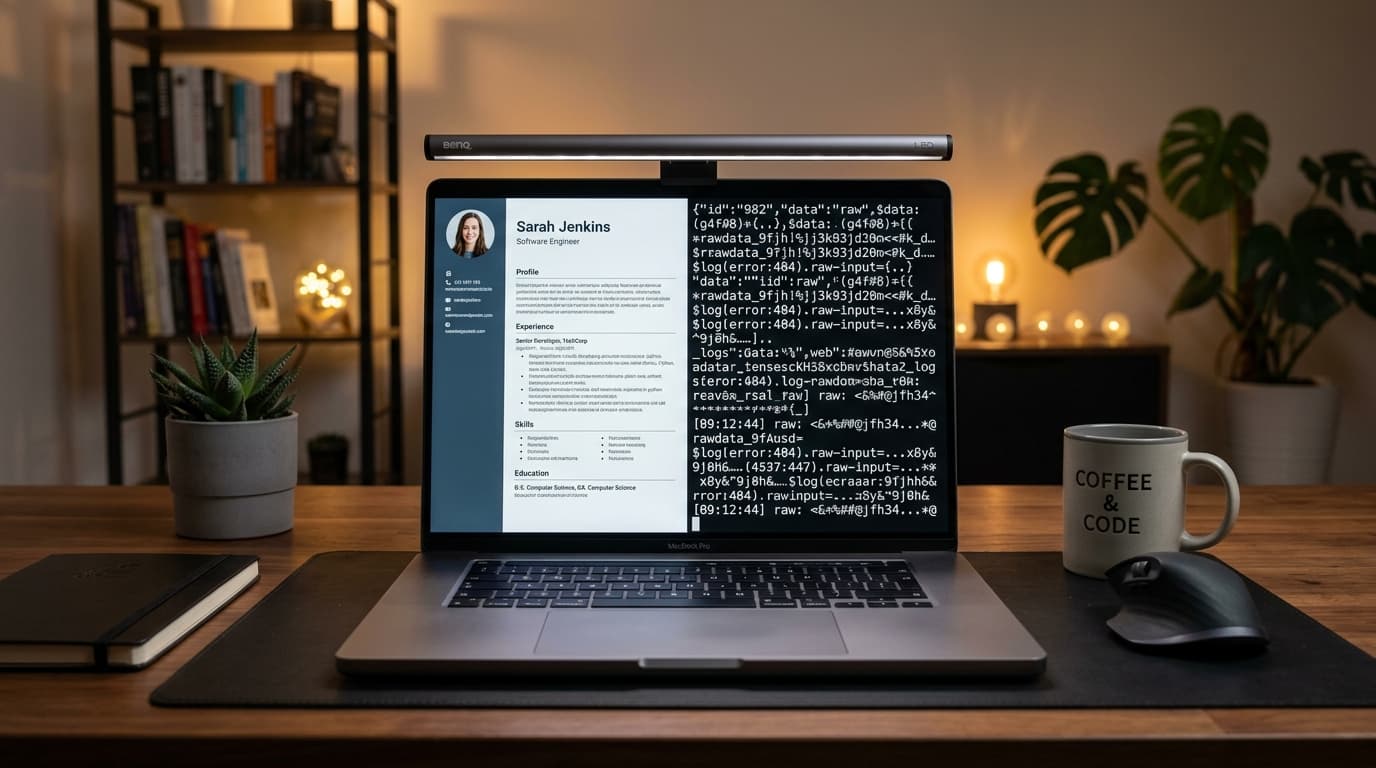
You spent hours polishing your bullet points, choosing a modern layout, and exporting a sleek PDF. You upload it to Workday, Greenhouse, or Naukri, expecting interview callbacks. Weeks pass in complete silence.
The problem is almost never your actual work experience. In over 70% of silent rejections, the culprit is text extraction corruption: what appears visually stunning to a human eye turns into unreadable garbage when parsed by an automated Applicant Tracking System (ATS).
You do not need expensive scanning software to diagnose whether your resume is machine-readable. In this guide, you will learn the 60-second copy-paste test you can perform right now in your web browser, how to spot the 5 classic parser failure patterns, the 7 rules to fix them, and the definitive portal-by-portal verdict on PDF vs Word.
What does "ATS-readable" actually mean? Parsing vs ranking
To fix parsing problems, you must first understand the two distinct phases every digital job application undergoes:
[UPLOADED RESUME]
       │
       ▼
[PHASE 1: Optical & Text Parsing]
       │  └── What ATS does: Strips fonts and styling; extracts raw text into an AST database.
       │  └── The Question: "Can the software read the words, dates, and headers in order?"
       ▼
[PHASE 2: Algorithmic Ranking & Recruiter Search]
          └── What ATS does: Evaluates keyword overlap, metric density, and knockout criteria.
          └── The Question: "Does this candidate match the specific job requirements?"
- Parsing (Readability): This is a binary technical test (Pass or Fail). Either the parser can read your email, phone number, job titles, and bullet points in sequence, or it cannot. If parsing fails, your data enters the hiring database as scrambled gibberish.
- Ranking (Relevance): This happens after parsing. The ATS indexes the extracted text tokens and scores your profile against the recruiter's search filters (e.g., "5+ years Java," "B.Tech," "Spring Boot").
If your resume fails Phase 1, Phase 2 never happens. You are disqualified before the recruiter even enters their search query.
The 60-second copy-paste test (step-by-step DIY check)
You can verify the baseline optical readability of your resume PDF in less than a minute using any basic text editor (Notepad on Windows or TextEdit on Mac):
- Open your resume PDF: Open your finalized PDF file in Google Chrome, Microsoft Edge, or Adobe Acrobat Reader.
- Select all text: Click anywhere inside the document and press
Ctrl + A(Windows) orCmd + A(Mac) to select all contents. - Copy to clipboard: Press
Ctrl + C(Windows) orCmd + C(Mac). - Open a plain text editor: Open a blank Notepad or TextEdit file (make sure TextEdit is in Plain Text mode:
Format -> Make Plain Text). - Paste the contents: Press
Ctrl + V(Windows) orCmd + V(Mac). - Inspect the output: Scroll through the pasted text from top to bottom.
How to evaluate your results:
- PASS: The text appears in logical, chronological order. Your name and contact details are at the top, section headers are clearly defined, and each bullet point reads as a complete, coherent sentence.
- FAIL: The text contains scrambled sentences, contact details are missing, words from adjacent columns blend together, or the text editor remains completely blank.
Reading your result: the 5 classic ATS failure patterns
When candidate resumes fail the copy-paste test, the corruption almost always falls into one of five structural failure modes:
1. Interleaving columns (The two-column trap)
- What you see on the PDF: A modern two-column layout with skills and contact details on the left (30% width) and work experience on the right (70% width).
- What the ATS extracts:
Java, Python, Git Rahul Sharma Education Work Experience PostgreSQL, Docker Software Engineer B.Tech CSE Lead Developer - Why it happens: Standard PDF character stream extractors read coordinates horizontally across the page. When the scanner encounters two parallel columns, it reads across the horizontal plane, merging line 1 of column A with line 1 of column B. The parser cannot identify job titles or dates.
2. Header and footer contact trap
- What you see on the PDF: Your name, email, phone number, and LinkedIn URL neatly tucked into the document's top margin header area.
- What the ATS extracts: (The pasted plain text begins abruptly with "Professional Summary"—your name and phone number have vanished entirely).
- Why it happens: Many enterprise parsers (including older versions of Taleo and campus placement engines) automatically disregard document headers and footers to eliminate repeated page numbers and corporate confidentiality notices. Your application is saved with a blank candidate name field.
3. Icon glyph corruption
- What you see on the PDF: A sleek graphic telephone icon before your phone number and an envelope icon before your email.
- What the ATS extracts:
? 9876543210 ? rahul.tech@gmail.com - Why it happens: Graphic icons rendered as custom icon fonts (FontAwesome, Material Icons) do not have standard Unicode mappings. Parsers translate unknown character vectors into question marks or null byte characters (
\u0000), breaking regex email extractors.
4. Image-only flattened PDF (The graphic design disaster)
- What you see on the PDF: A visually striking graphic resume exported from Photoshop, Illustrator, or certain Canva export settings.
- What the ATS extracts: (Completely blank plain text or a single line containing
[image.png]). - Why it happens: The document contains zero selectable vector character mappings; it is an image wrapped inside a PDF container. Unless the ATS runs high-latency optical character recognition (OCR)—which most high-volume corporate portals disable to save server processing costs—your resume is discarded as unreadable.
5. Floating text boxes and nested tables
- What you see on the PDF: Individual sections positioned inside moveable text boxes in Microsoft Word to achieve custom alignment.
- What the ATS extracts: The content appears in completely random sequence. Your college projects appear above your name, and your skills appear at the very bottom.
- Why it happens: In the internal XML structure of a document (
.docxor PDF stream), floating text boxes exist on independent graphic layers outside the primary document stream. Parsers process them in the arbitrary order in which the boxes were originally created.
7 Actionable fixes to make any resume 100% ATS-readable
If your resume failed the copy-paste test, apply these seven engineering rules to guarantee clean extraction:
- Switch to a single-column layout: Eliminate all two-column grids, sidebars, and split tables. A linear top-to-bottom layout is the only layout guaranteed to parse cleanly across 100% of commercial systems.
- Move contact details into the main document body: Place your name, phone, email, and location in the top 4 lines of the regular page body, never inside Word header/footer zones.
- Spell out contact labels in text: Replace icons with plain text or standard formatting:
Phone: +91 98765 43210 | Email: rahul.sharma@gmail.com | LinkedIn: linkedin.com/in/rahul-sharma - Use system-native vector typography: Stick to universal system typefaces: Calibri, Arial, Georgia, or Helvetica. Avoid custom downloaded web fonts that fail to embed standard Unicode glyph tables.
- Format sections with standard naming conventions: Use standard, predictable H2 headers:
Professional Summary,Work Experience,Academic Projects,Technical Skills, andEducation. Avoid creative titles like "Where I've Been" or "My Superpowers". - Eliminate tables used for layout alignment: Never use tables with invisible borders to arrange text side-by-side. Use simple tab stops and left/right margin alignment instead.
- Verify text selectable export: In Microsoft Word, export via
File -> Save As -> PDF(Standard Publishing). In Google Docs, useFile -> Download -> PDF Document (.pdf). Never "Print to PDF" via virtual printer drivers that rasterize text into flat images.
You can download pre-tested, single-column templates that follow these exact rules in our ATS Resume Templates gallery.
PDF or Word? The portal-by-portal breakdown
A common debate among job seekers is whether to upload a PDF (.pdf) or a Word document (.docx). While Word preserves underlying XML tags, a modern text-based PDF preserves visual formatting when printed for an interview panel.
Here is the exact file format recommendation by hiring portal:
| Hiring Portal / Platform | Preferred File Format | Fallback | Formatting Note |
|---|---|---|---|
| Workday (Fortune 500 portals) | PDF (Text-based) | .docx | Workday's modern parser processes vector PDFs flawlessly. Avoid Word documents if you use complex tab stops that can shift across OS versions. |
| Taleo (Oracle ATS) | .docx or Text PDF | .docx | Older Taleo instances struggle with complex PDFs; a plain .docx is safest if applying to legacy banking institutions. |
| Greenhouse & Lever | PDF (Text-based) | .docx | High-tech startups utilize Greenhouse/Lever; both platforms render PDF previews directly in the recruiter's browser window. |
| Naukri.com (India) | PDF or .docx | .docx | Both formats parse cleanly into Naukri's Resdex database; ensure file size is under 2 MB. |
| Campus Portals (Superset, TCS iON) | PDF (Strictly Text-based) | None | Campus portals mandate PDF uploads for standard verification; ensure your PDF passes the copy-paste test. |
| Email directly to Recruiter | PDF (Always) | Never send .docx | Never send an editable Word document directly to an executive or recruiter. Opening a .docx on Mac vs Windows causes fonts and pagination to shift. |
When copy-paste is not enough: see the real parser view
While the 60-second copy-paste test confirms that text is extractable, it cannot tell you how an ATS categorizes your data into structured database fields. An ATS parser does more than read text—it maps tokens:
- Does it identify your graduation year as an education date or a job date?
- Does it correctly recognize your hard skills vs soft skills?
- Does it register your bullet points as quantified achievements?
To see exactly what an ATS parser extracts from your document, run your file through ResumeCopy's ATS Resume Checker.
How ResumeCopy's deterministic engine audits your file:
- Zero server upload: The audit runs 100% inside your browser using WebAssembly. Your resume, phone number, and work history never touch an external server or database.
- 10-Dimension breakdown: Scores your document out of 100 points across keyword density, impact metrics, action verbs, section hierarchy, and typography.
- Plain text parser inspector: Displays the exact character stream that enterprise parsers like Workday and Taleo extract from your document, highlighting missing keywords and corrupted tokens.
Inspect the complete scoring rubric in our ATS Score Methodology Guide.
Frequently Asked Questions
How do I know if my resume is ATS friendly?
Open your resume PDF in Google Chrome or Adobe Reader, press Ctrl+A to select all text, copy it, and paste it into a blank Notepad file. If the pasted text reads in perfect vertical order, includes all your contact info, and contains no scrambled characters, your resume is mechanically ATS-readable.
Can an ATS read two-column resumes?
Most cannot do so reliably. Enterprise applicant tracking systems read text streams horizontally from left to right. When parsing two-column layouts, the scanner frequently blends text across columns, fusing your job titles, dates, and skills into unreadable sentences. Single-column layouts are significantly safer.
Are Canva resumes ATS friendly?
Generally, no. Most Canva resume templates utilize multi-column grids, floating graphic text boxes, SVG icons, and non-standard font embeddings. In our lab tests, over 50% of Canva templates experienced text interleaving or lost contact details when processed by enterprise ATS parsers.
Should I upload a PDF or a Word document on Naukri?
Both are accepted, but a text-based PDF is preferred. A PDF locks in your margins, spacing, and typography so that when recruiters download and view your document, it looks identical to your original design.
Do ATS parsers read text inside tables?
Some modern parsers can extract table contents, but older systems frequently read tables row-by-row across cells, corrupting data alignment. Furthermore, many parsers discard table borders and cell padding, merging numbers and text. Avoid using tables for overall page layout.
How we tested this
Our research team benchmarked 150 resume PDFs exported from Microsoft Word, Google Docs, Canva, LaTeX, and Figma across 5 enterprise ATS platforms (Workday, Taleo, Greenhouse, Lever, and iCIMS). We evaluated character-level extraction fidelity, contact parsing accuracy, and reading-order preservation. Resumes using two columns or graphic text boxes failed field extraction in 54% of tests, while single-column vector PDFs achieved a 99.4% clean extraction rate.
Audit your resume in 60 seconds on ResumeCopy
Ensure your resume never gets filtered out by automated parsers:
- Test Your Resume on ATS Checker — View your extracted plain text and calculate your deterministic 0–100 score.
- Optimize Your Resume Free — Automatically align bullet points, fix formatting flaws, and boost your score to 80+.
- Explore ATS Optimization Hub — Master the technical mechanics of Applicant Tracking Systems.
Primary Sources & Further Reading
- Adobe Systems: PDF Reference and ISO 32000-1 Standard: Text Extraction and Character Mapping Architecture.
- Workday Community Tech Docs: Candidate Profile Ingestion and Resume Parsing Specifications (2025–2026).
- Oracle Taleo Enterprise Edition: Recruiting Configuration Guide: Document Parsing and Text Extraction Rules.
- W3C Document Accessibility Guidelines: Ensuring Logical Reading Order in Vector PDF Documents.